AI-Powered Learning

Your Personal AI Tutor —
Smarter Learning, for Every Student.

Upload your notes, study materials, or textbooks. My Study Buddy turns them into flashcards, adaptive quizzes, and a live AI tutor — personalised to your level, from Grade 1 through college.

See How It Works →
🤖 AI Tutor
🃏 Flashcards

Good morning, Alex 👋

Ready to learn something new today?

Today's Streak: 7 days 🔥

Biology · Chapter 4 · 12 cards due

AI Tutor

"What causes osmosis? Let's think it through together…"
My Study Buddy home screen — good morning greeting with daily stats
❓ Smart Quizzes
📊 Progress
5 Education Levels
Grades 1–3, 4–6, Middle, High School, College
4 Tutor Personalities
Choose your learning style
My Study Buddy Your AI Tutor
Always ready to help you learn

Everything You Need to Study Smarter

One app. Every format. Fully adaptive.

📚

Smart Document Processing

Upload PDFs, photograph your notes, or paste text. AI extracts the content and builds study resources automatically — no manual work needed.

🤖

Adaptive AI Tutor

Chat with your personal tutor in real time. It adapts to your level, asks guiding questions, and never just hands over the answer — it teaches.

🃏

Flashcards & Quizzes

Auto-generated from your own material. Flip cards to test recall or take multiple-choice quizzes — each answer comes with a full explanation.

🎯

Practice Mode

Open-ended questions evaluated instantly by AI. Get personalised feedback and watch difficulty adjust as you improve.

🎤

Voice Input & Read-Aloud

Ask questions hands-free with speech-to-text. Enable read-aloud to hear AI responses — perfect for auditory learners and commutes.

📊

Progress Tracking

Track streaks, accuracy, topic mastery, and weak areas. Every session ends with a summary so you always know where to focus next.

Real Screenshots

Every Feature, Beautifully Designed

No mockups, no stock photos — real screens from the live app, exactly as students use it every day.

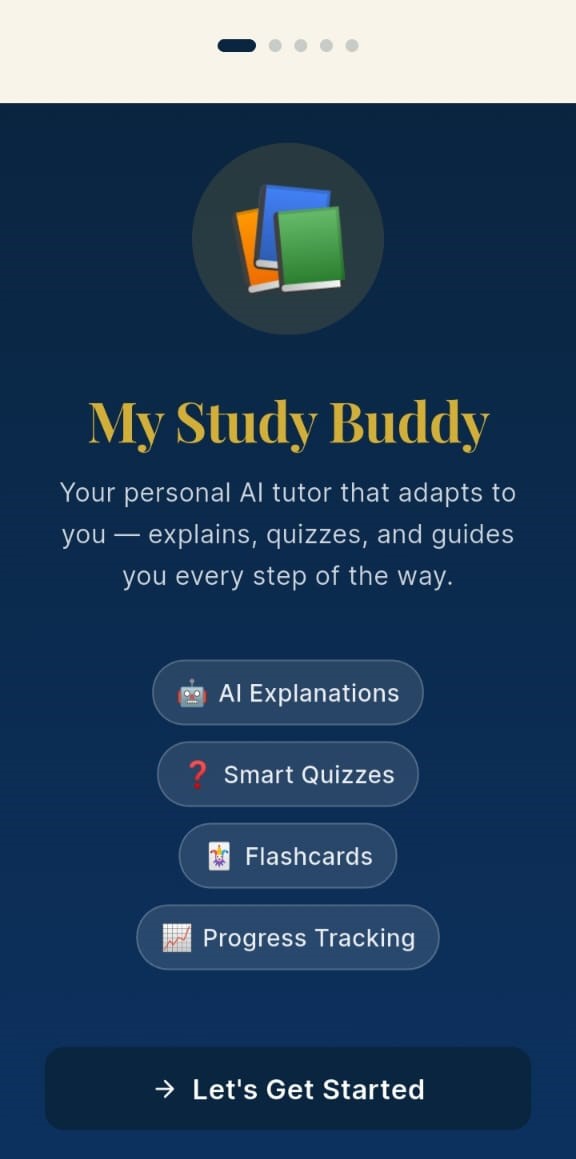
My Study Buddy welcome screen — app branding, feature list, and Let's Get Started button
Welcome First Launch
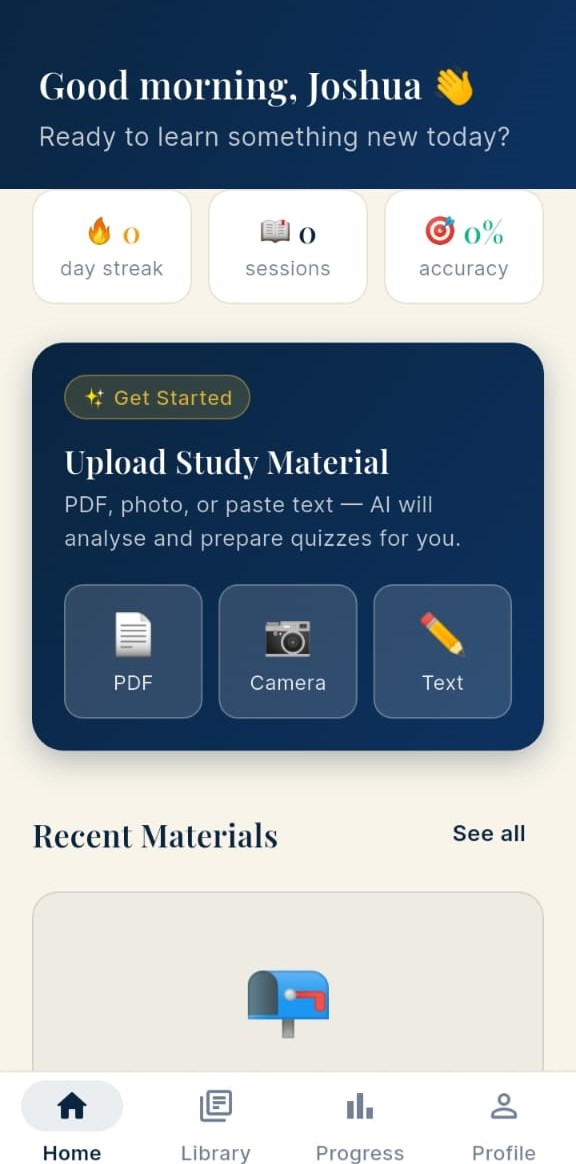
Home dashboard — good morning greeting, day streak, sessions, accuracy and quick-upload options
Home Dashboard
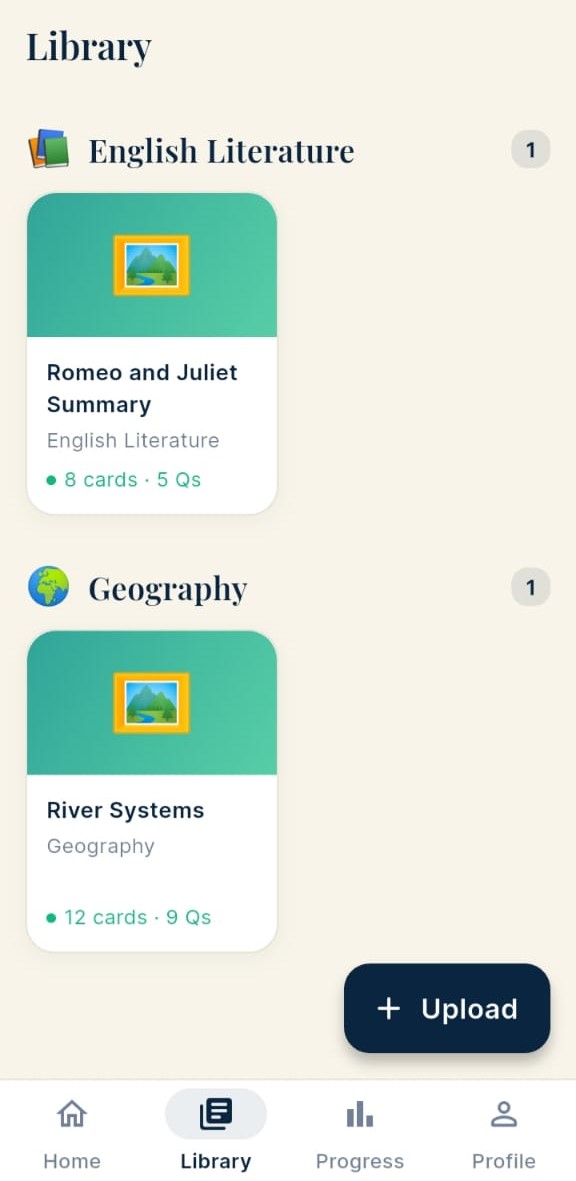
Library — study sets organised by subject, showing English Literature and Geography
Library Study Sets
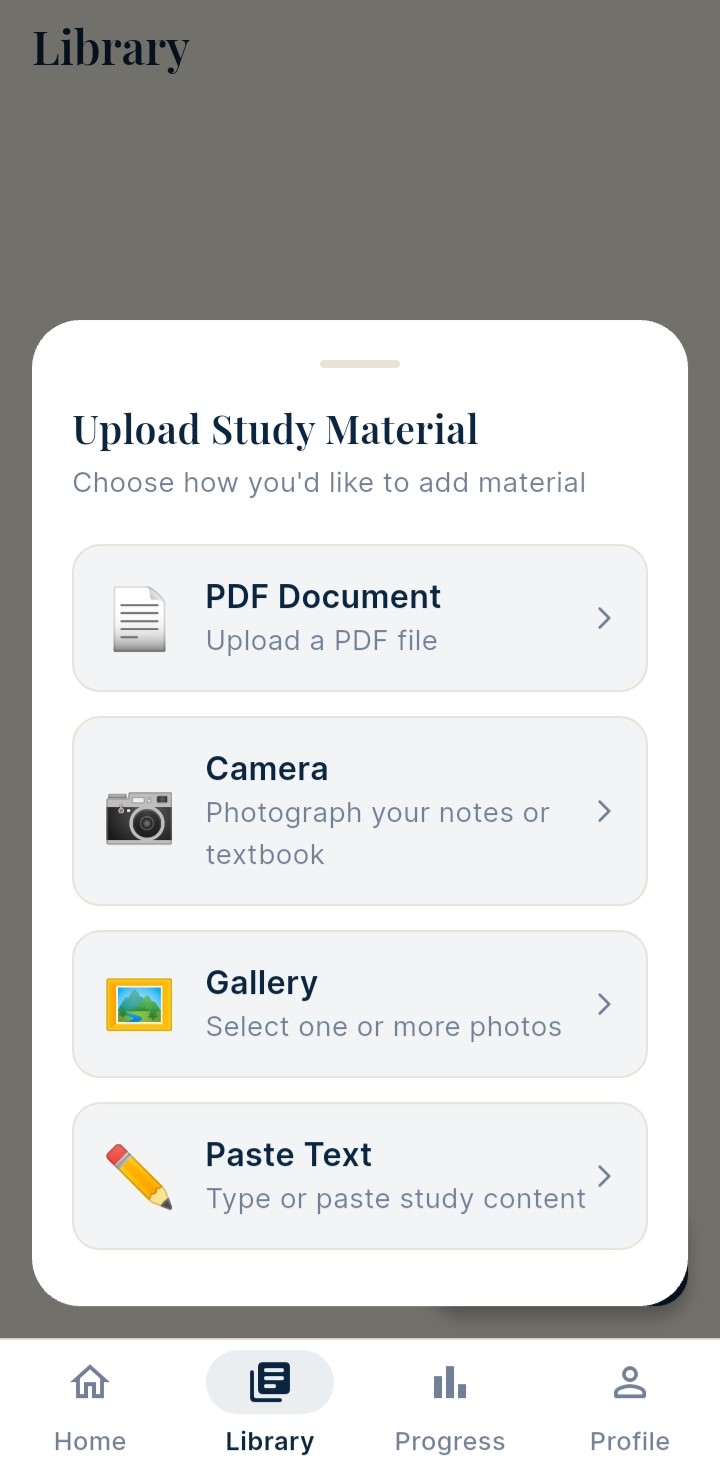
Upload study material — PDF Document, Camera, Gallery and Paste Text options
Upload Add Material
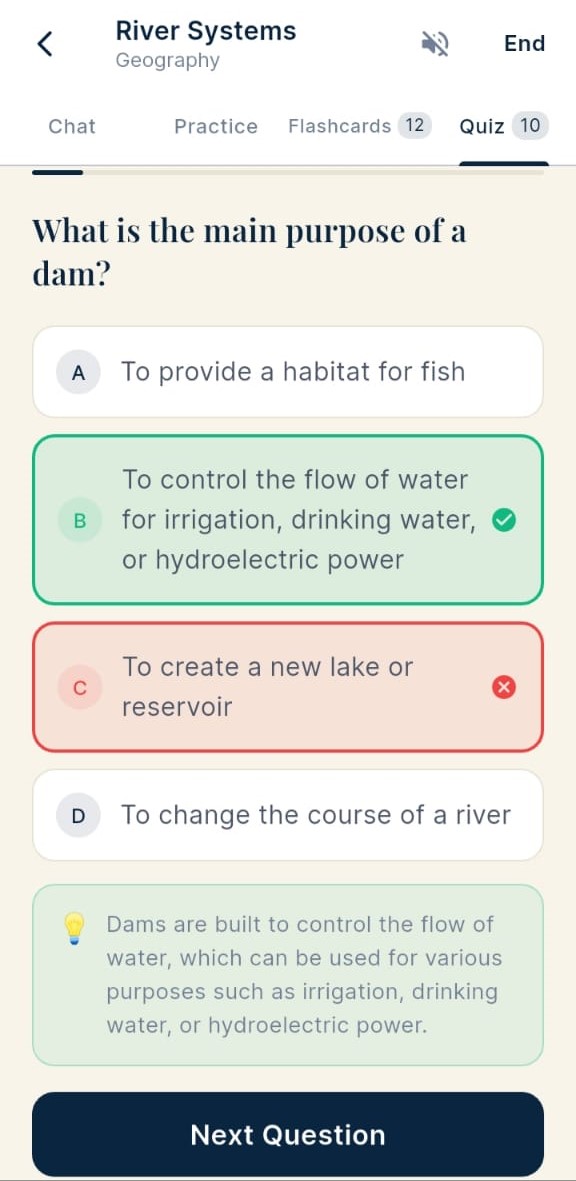
Quiz mode — multiple choice question with instant correct (green checkmark) and wrong (red X) answer feedback
Smart Quiz Test Yourself
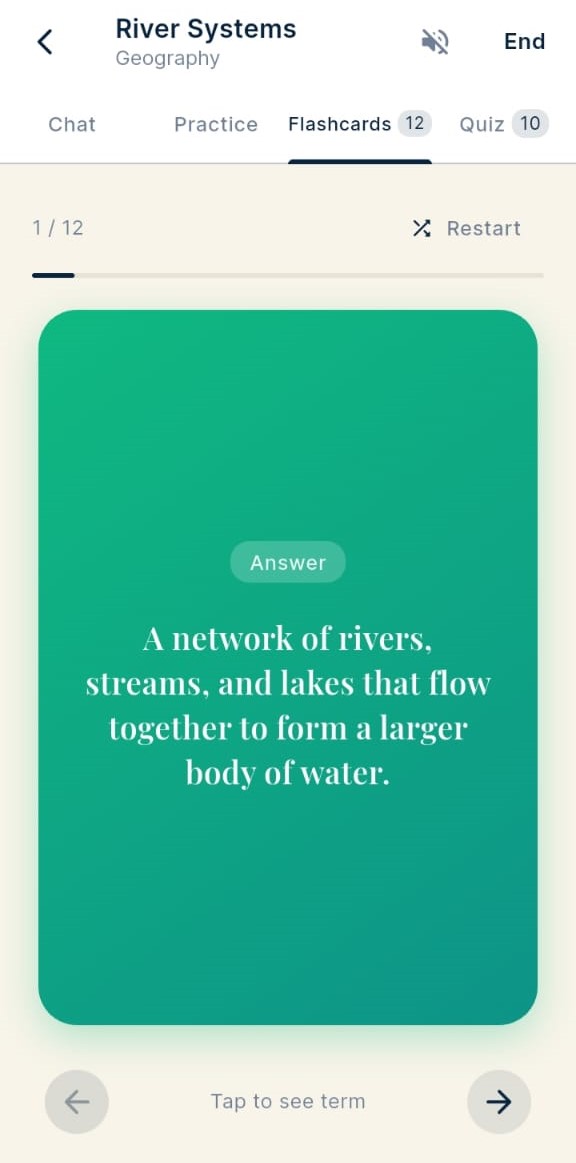
Flashcard — dark navy term side showing 'What is a river system?' with tap-to-reveal
Flashcards Answer Side
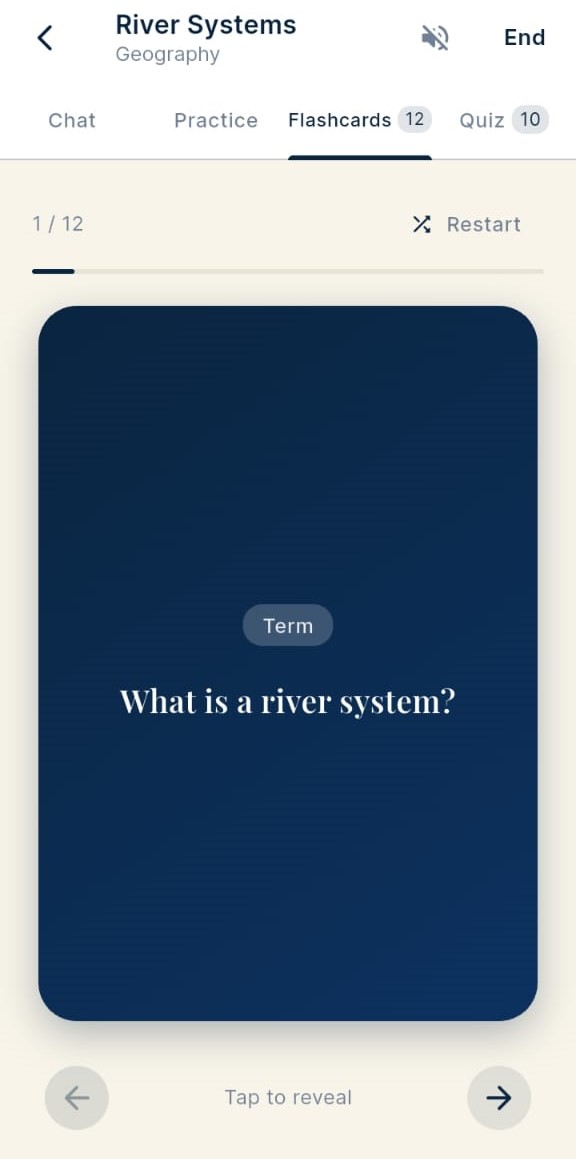
Flashcard term side — dark navy card showing 'What is a river system?' with tap to reveal prompt
Flashcards Term Side
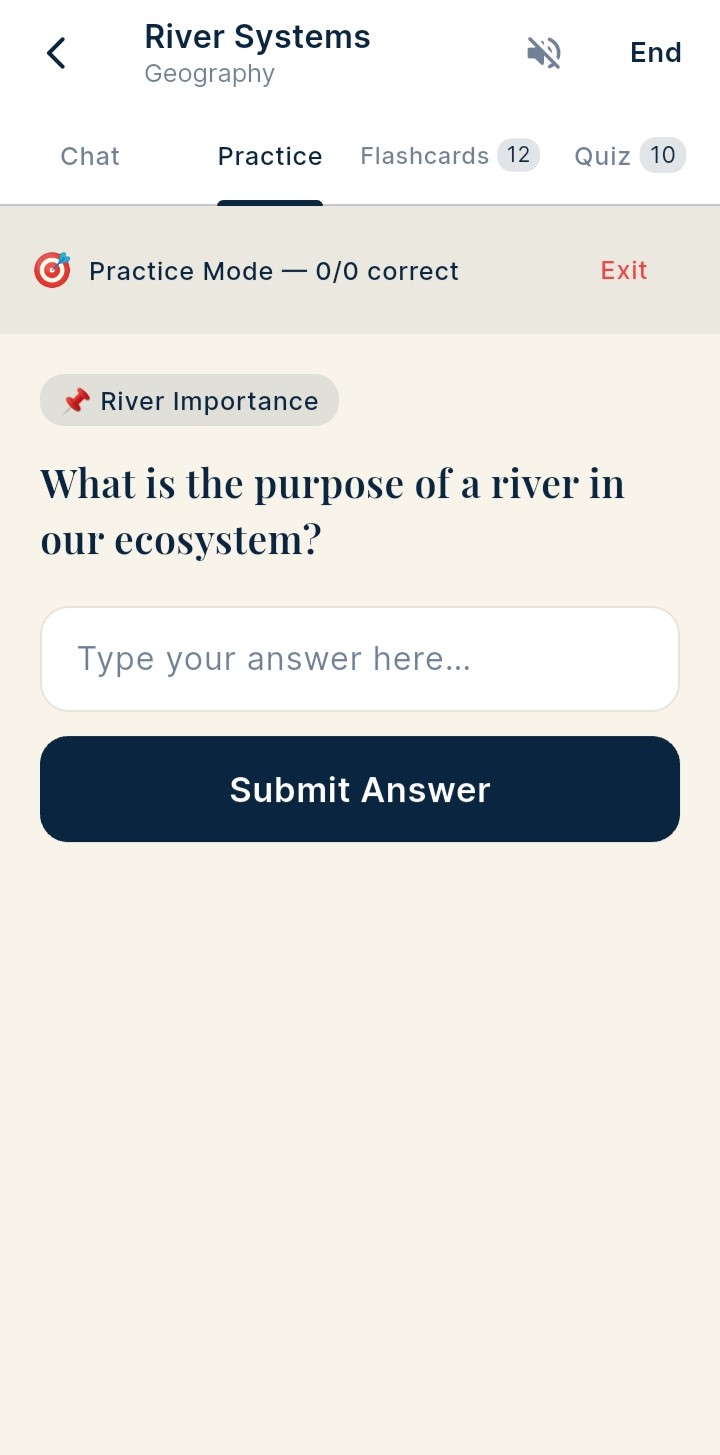
Practice mode — open-ended question with text input field and Submit Answer button
Practice Open-Ended
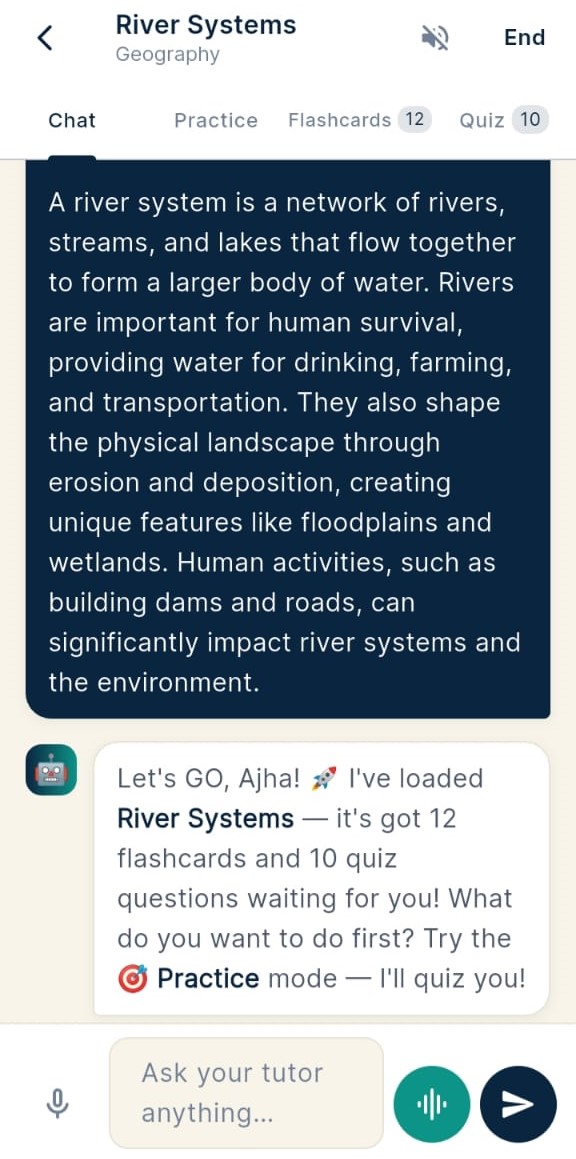
AI tutor chat — conversational tutoring with robot avatar and message bubbles
AI Tutor Chat Mode
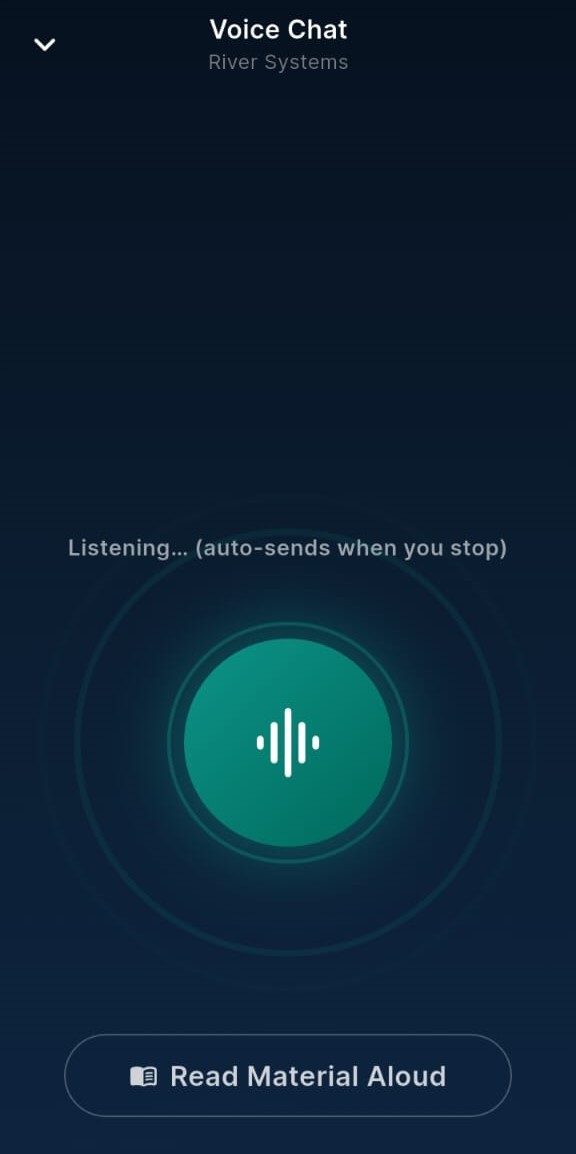
Voice chat — listening mode with animated waveform and Read Material Aloud button
Voice Mode Listening
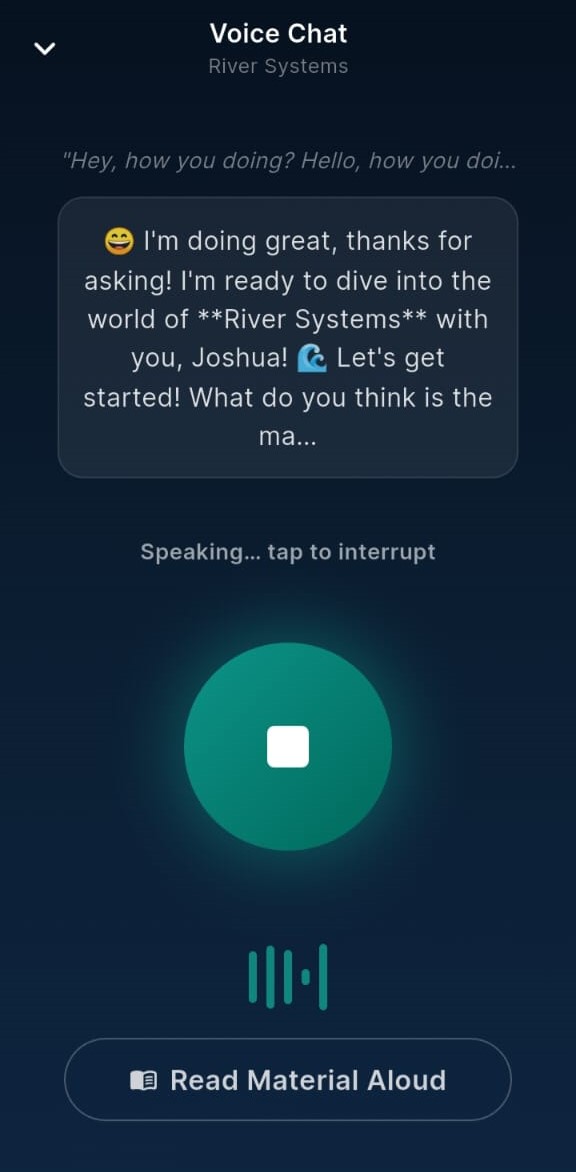
Voice chat speaking state — AI tutor responding with animated waveform and stop button
Voice Mode Speaking
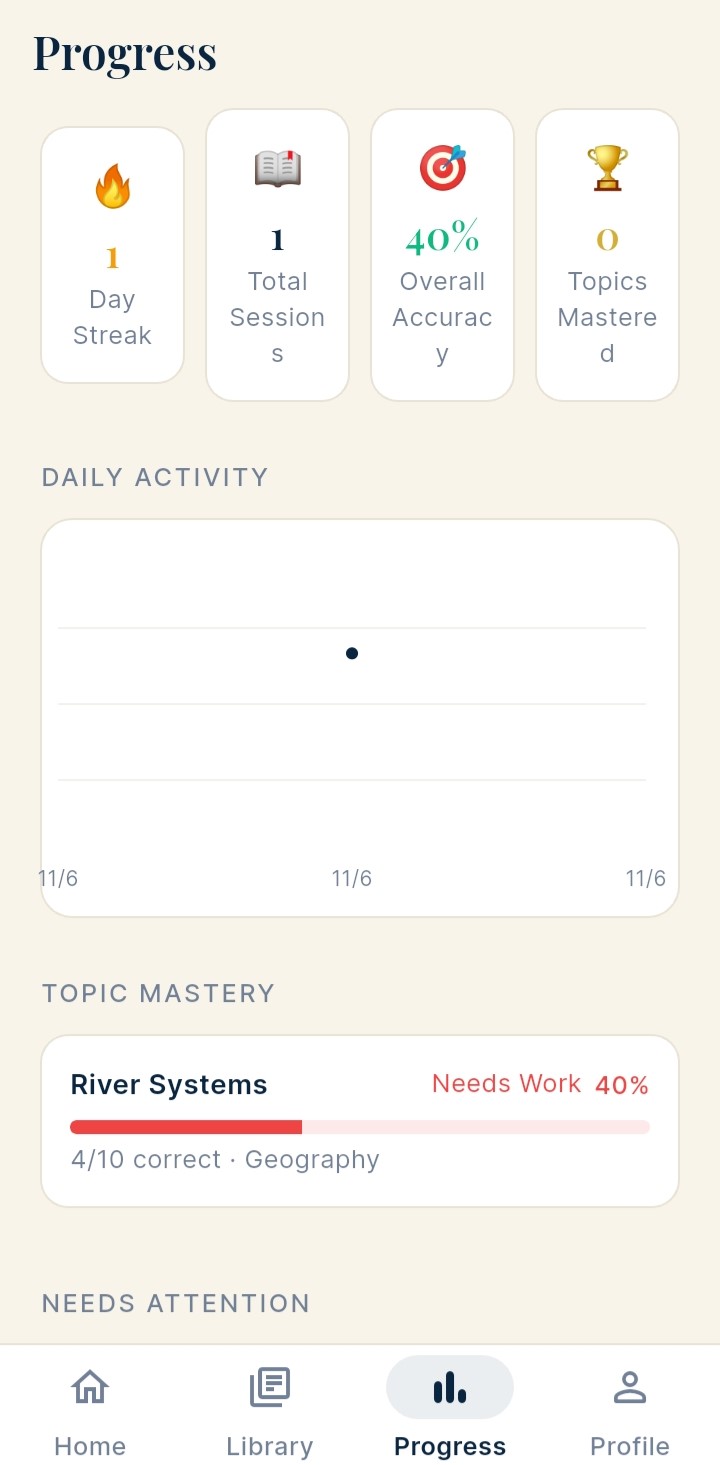
Progress screen — day streak, total sessions, overall accuracy, topics mastered, daily activity chart and topic mastery bars
Progress Track Growth

Ready in Under a Minute

Answer three quick questions and your AI tutor is calibrated to your exact age, level, and preferred learning style.

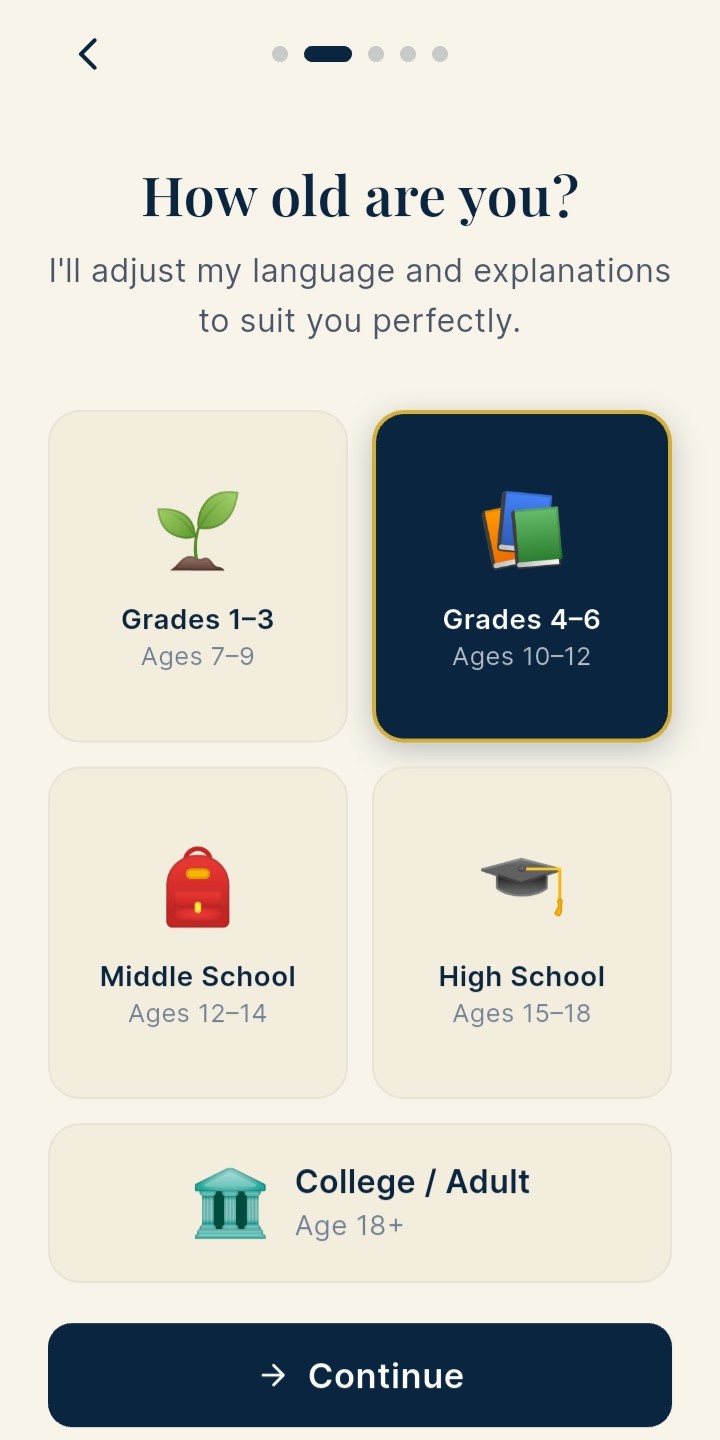
Pick your education level — Grades 1-3, 4-6, Middle School, High School, College
1 Pick your level
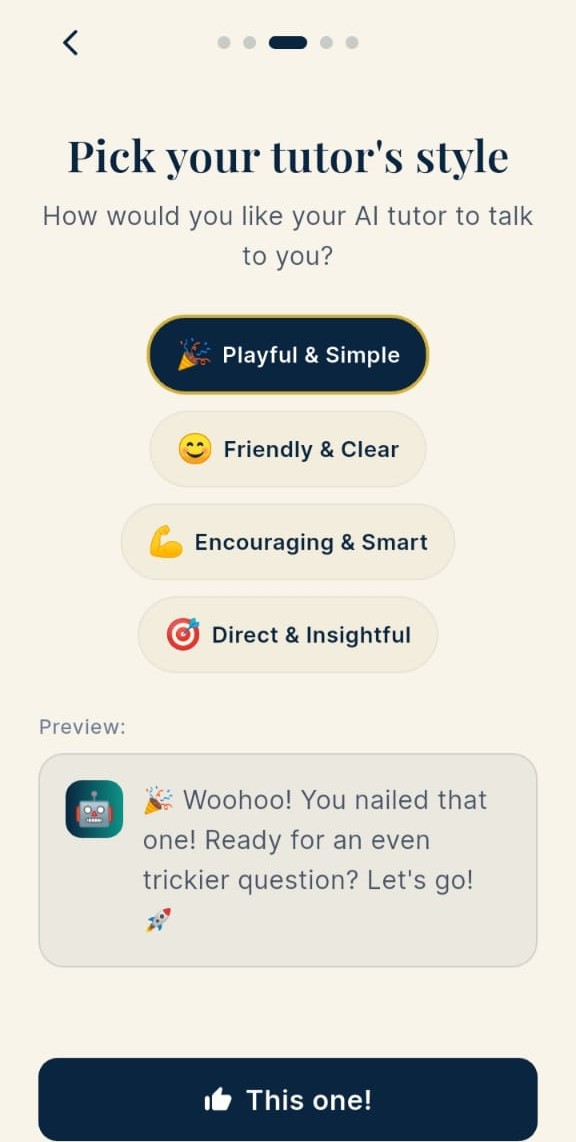
Choose your tutor's personality — Playful, Friendly, Encouraging or Direct
2 Choose your style
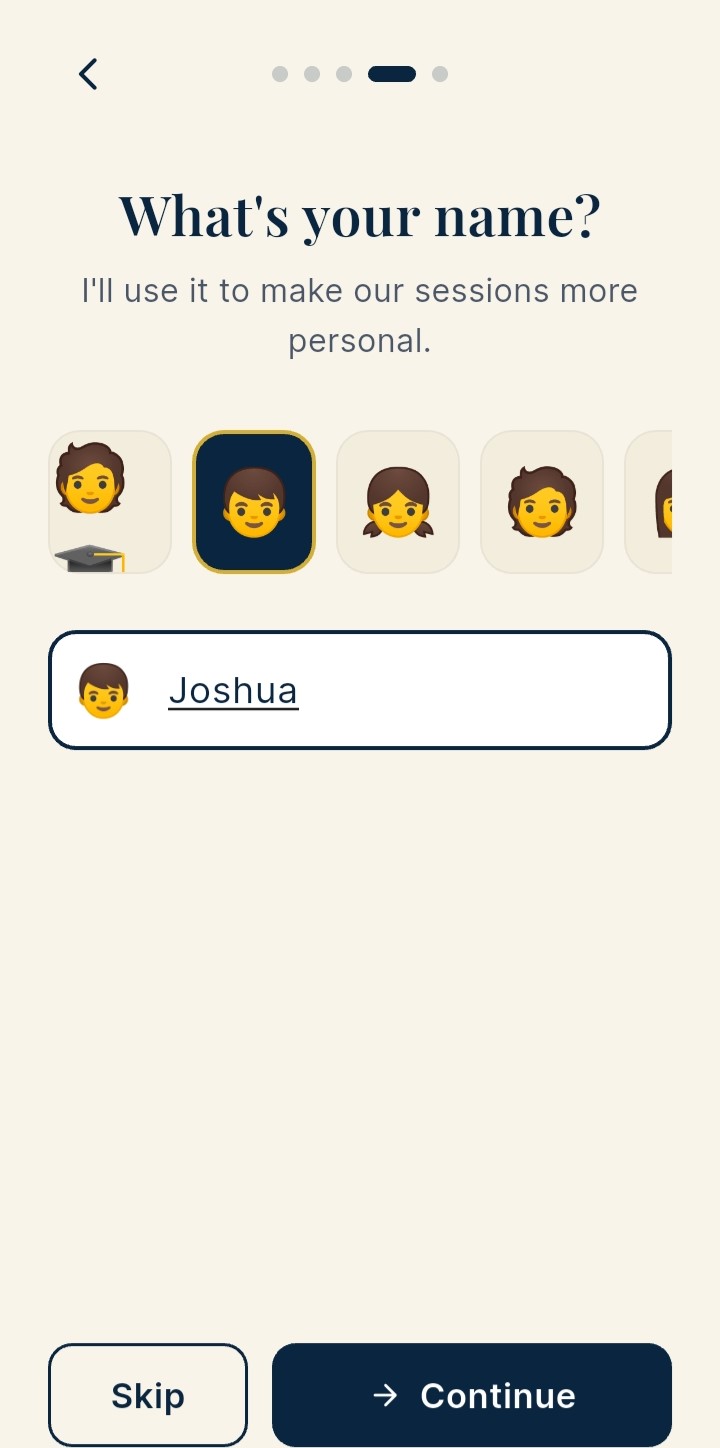
Enter your name and pick an avatar — personalises every session
3 Tell us your name
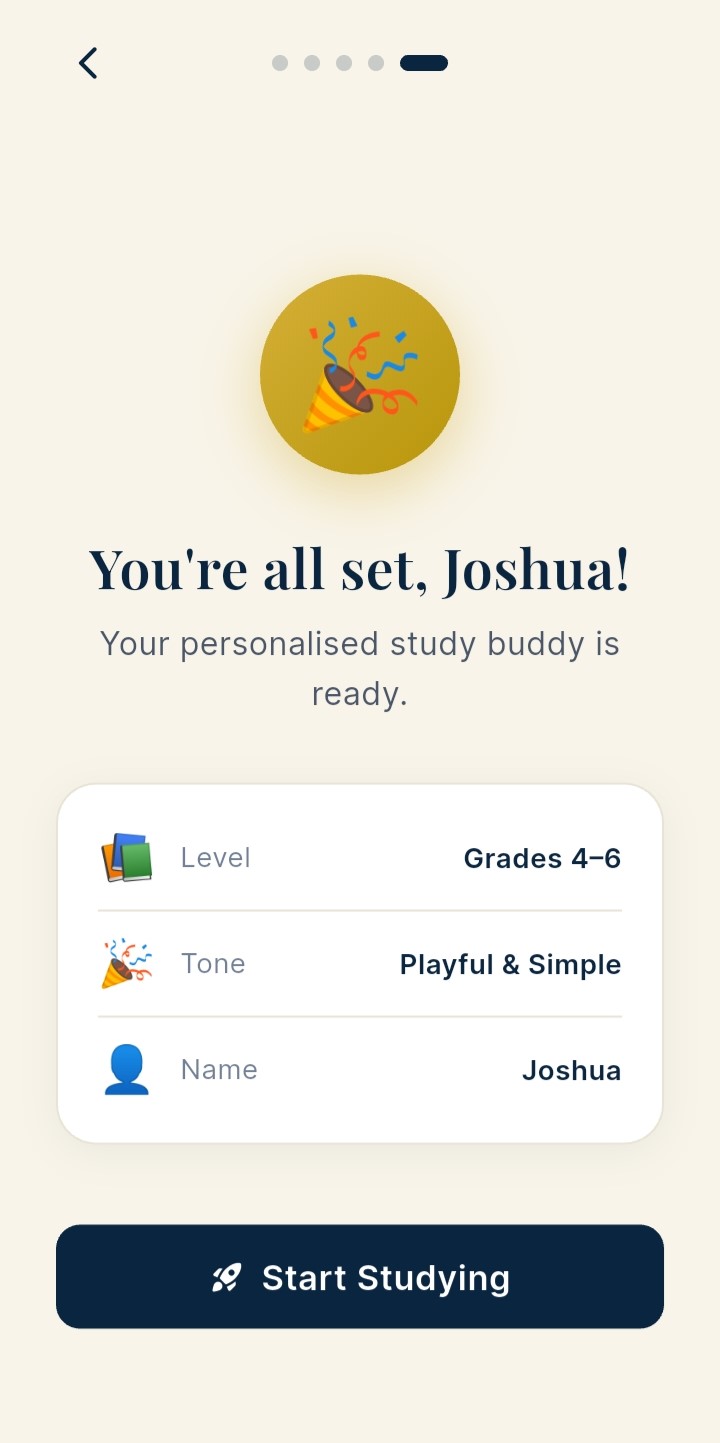
You're all set! Summary showing Level, Tone and Name before starting
You're all set!

Four Steps to Smarter Study

From upload to mastery — in minutes.

1

Upload Your Material

PDF, photo of notes, or paste any text. The app reads and understands it instantly.

2

Choose Your Mode

Pick flashcards, quizzes, practice mode, or just chat with your AI tutor.

3

Study at Your Level

The AI adjusts explanations and difficulty to match your grade and learning style.

4

Track Your Progress

Review what you've mastered, spot weak areas, and build a consistent streak.

Built for Every Stage of Learning

Whether you're 7 or 27, the AI meets you exactly where you are.

🌱 Grades 1–3 Ages 7–9
📖 Grades 4–6 Ages 10–12
🏫 Middle School Ages 12–14
🎓 High School Ages 15–18
🏆 College / Adult Age 18+

🔐 Your Privacy Comes First

Your files never leave your device. Only AI prompts — not your documents — are sent to Groq's secure API. No account required. No personal data collected from children. COPPA-compliant by design.

🔒 No Account Required 📵 Files Stay on Device 👦 COPPA Compliant

Start Learning Smarter Today

Free to download. Bring your own Groq API key — it's free at console.groq.com.